
Theme
Everything about how Remux looks lives under [appearance] and its colour table, [appearance.theme]. The defaults are the Catppuccin Mocha palette.
When changes apply
Section titled “When changes apply”Some of what you see is drawn by the client and some by the server, and that decides whether an edit shows up on save:
| Applies when you save | Needs remux restart |
|---|---|
pane_title, tab_style, which_key_position |
border_style, default_layout, popup_width_pct, popup_height_pct |
| Colours of what the client draws: overlays, which-key, sidebars, Views, search highlights | Colours of what the server draws: pane borders, tab strips and the status bar in ordinary tabs |
border_style, default_layout and the popup size are applied when a session or tab is created, so after a restart they affect new sessions and tabs.
Border style
Section titled “Border style”[appearance]border_style = "zellij_style"| Value | Look |
|---|---|
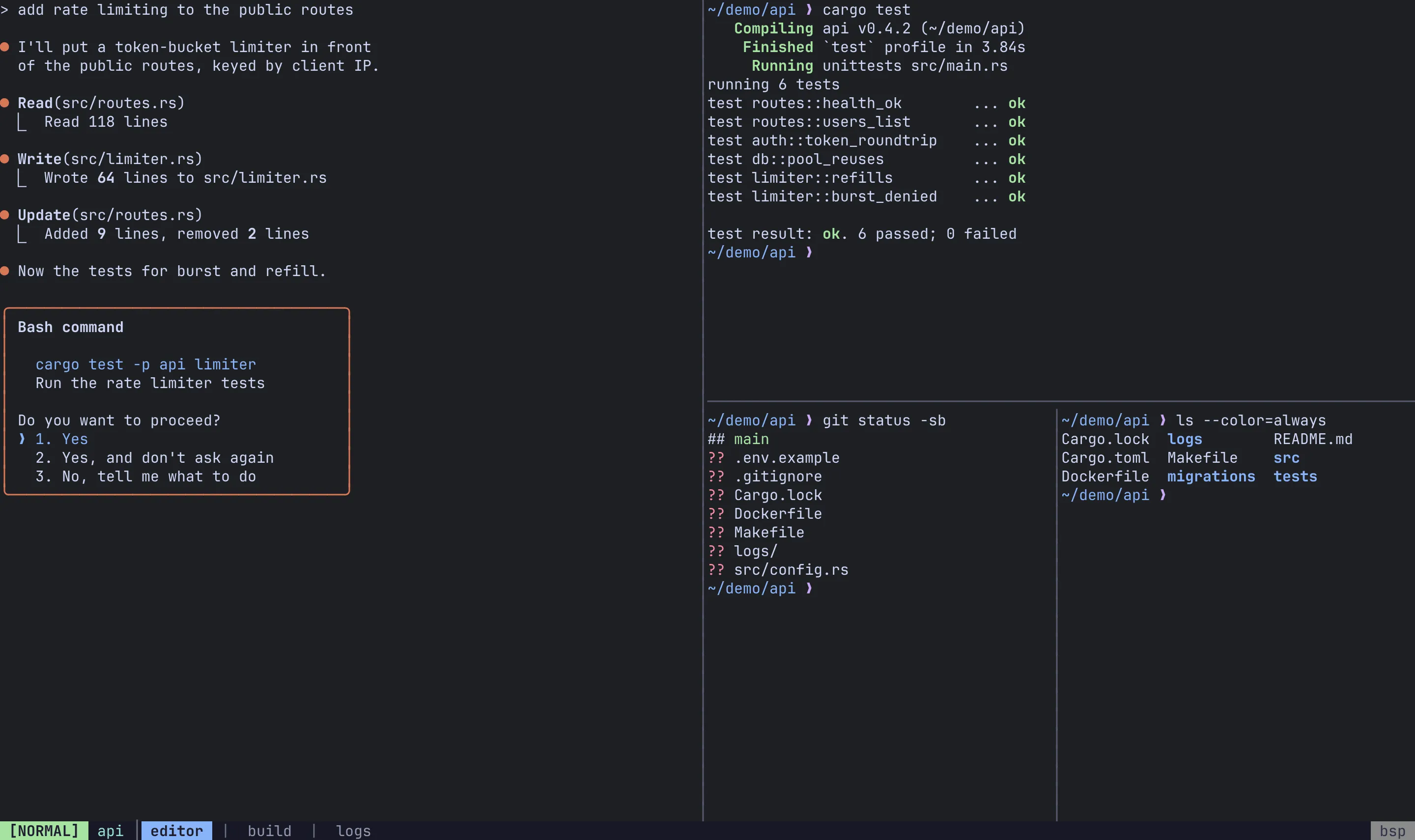
"zellij_style" (default) |
A box around every pane with its name on the top border |
"tmux_style" |
Minimal dividers between panes, and a tab bar |
Ctrl-a g toggles the style of the current session at runtime. Sidebars follow the same style.
Tab style
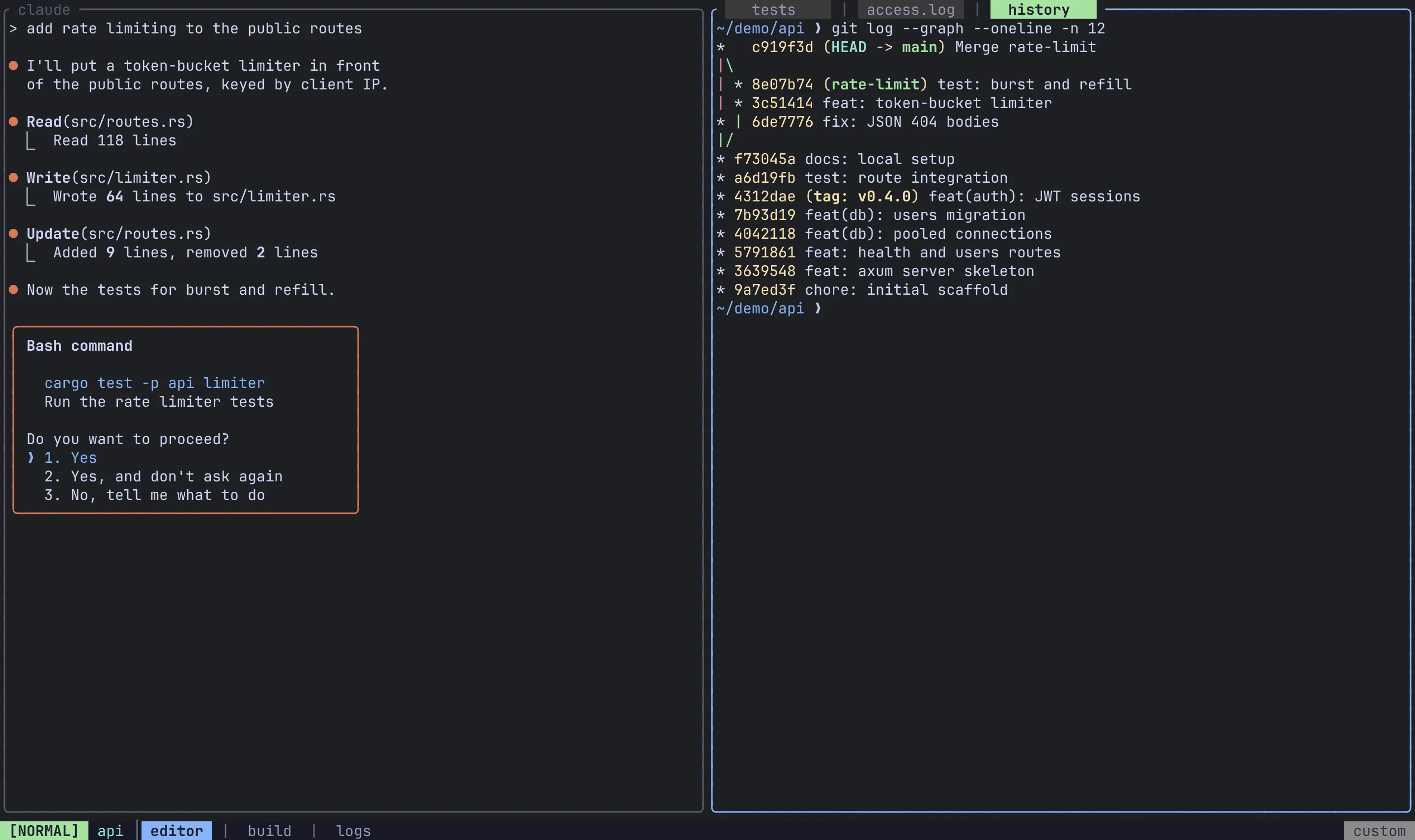
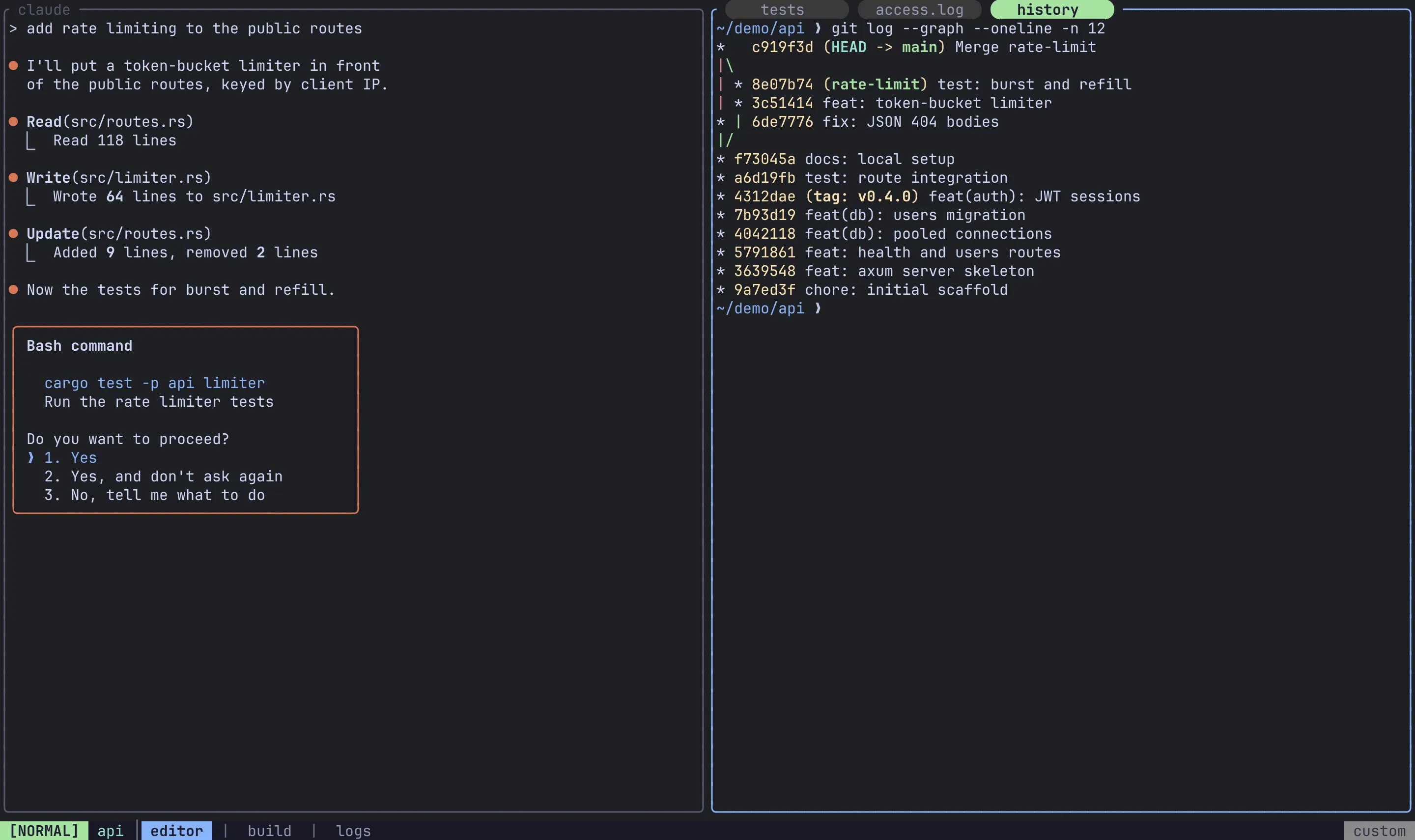
Section titled “Tab style”tab_style puts end caps on the chips in a pane’s tab strip: the tabs on a stacked pane’s top border, the tmux-style tab bar, and the title strip of a Monocle View.
[appearance.theme]tab_style = "rounded"| Value | Caps |
|---|---|
"plain" (default) |
No caps; chips separated by | |
"rounded" |
Powerline half circles (needs a Nerd Font) |
"slanted" |
Powerline slants (needs a Nerd Font) |
"square" |
Half blocks (any font) |
A strip too narrow for a capped chip falls back to plain. tab_style is a client setting: your client sends it to every server it views, local and remote, so one config styles tabs the same everywhere, and it applies on save.
Pane titles
Section titled “Pane titles”pane_title is a template that names every pane: on its border, in the Monocle strip, in the session tree, in View cells, and in the agents panel and switcher.
[appearance]pane_title = "{session}:{tab} {command} ({cwd})"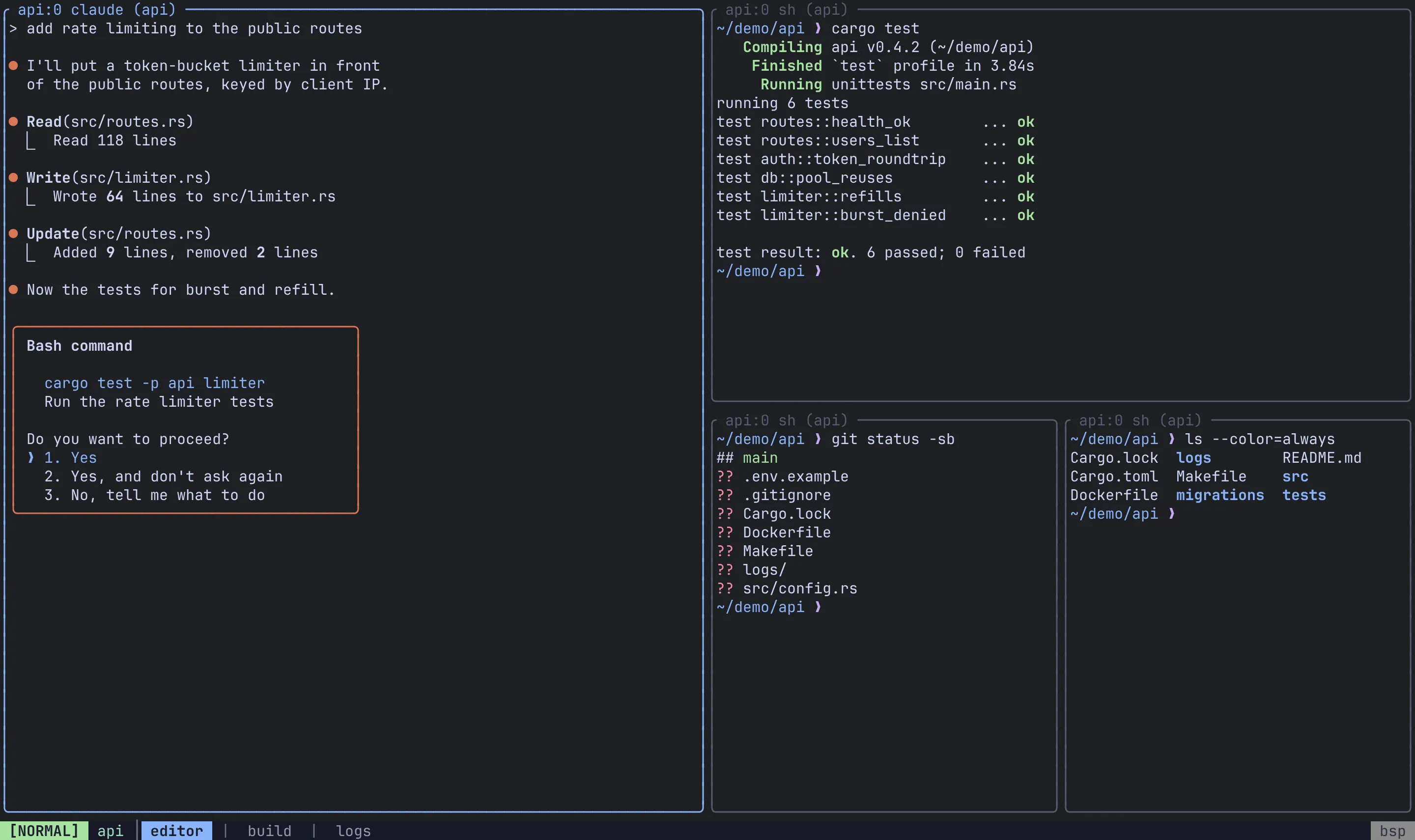
| Placeholder | Renders |
|---|---|
{title} |
The window title the program set (OSC 0/2), once it has held for a second, with a leading spinner glyph removed. Empty when there is none, or when the program that set it is no longer in the foreground. |
{command} |
The foreground job’s process (claude, top) once it has held the terminal for a second, else the shell (zsh). |
{session} |
The session’s name. |
{tab} |
The tab’s 0-based index in its session. |
{cwd} |
The last component of the pane’s working directory. |
{host} |
The remote’s name; empty for a local pane. |
How the template is resolved:
- Separator text left dangling by an empty placeholder is dropped when it is only whitespace and separators (
:-|·/,–—•). So"{command}: {title}"on an untitled pane readszsh, notzsh:. - If the whole result is empty, the pane falls back to
{command}. - An unknown placeholder is shown literally, with a warning in the log. There is no brace escaping.
- A name you set with
PaneRenamealways wins.
Unset (the default), a pane shows its title when it has one and its command otherwise.
Like tab_style, pane_title belongs to the client: it names panes on every server you view, remotes included, and applies on save.
Which-key popup
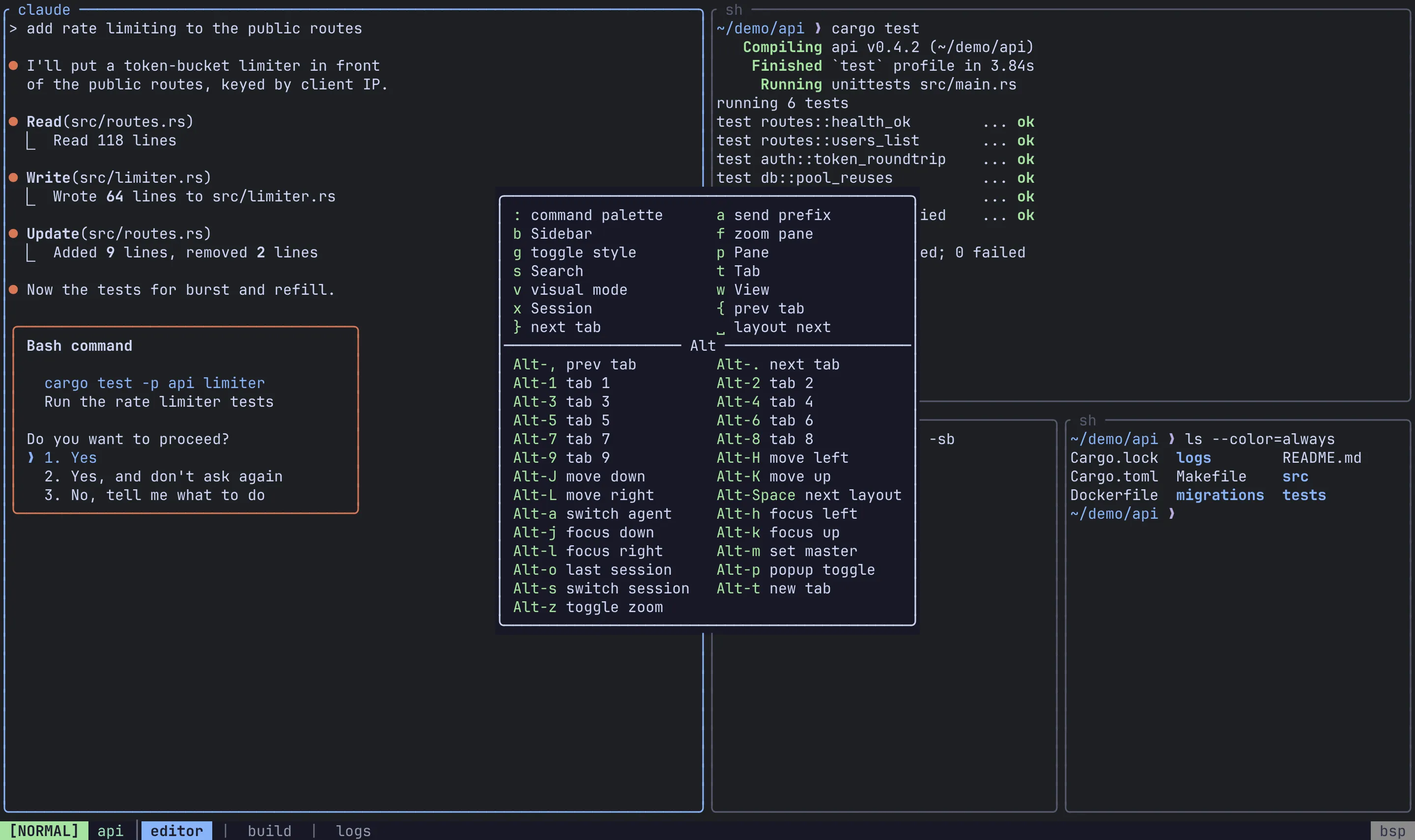
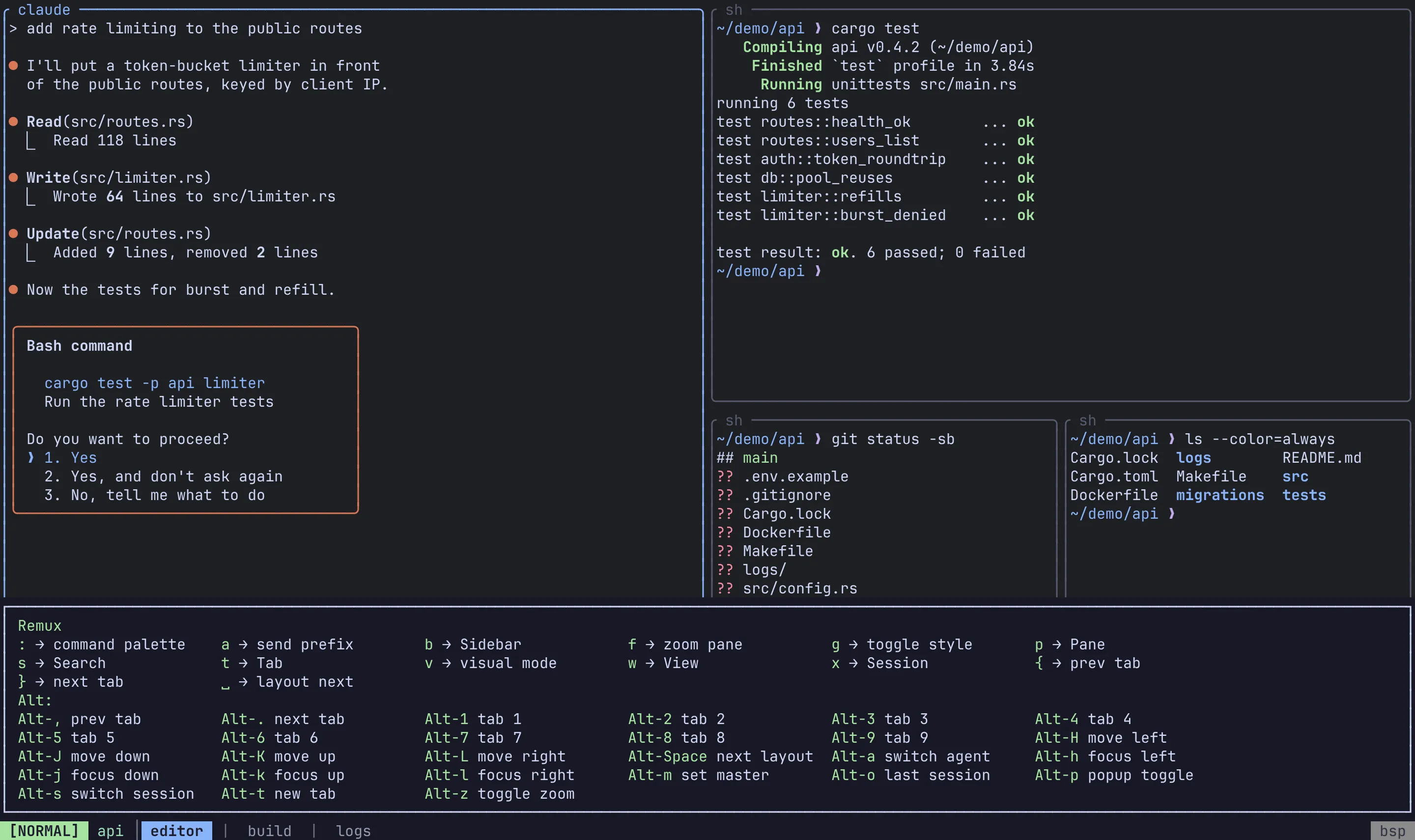
Section titled “Which-key popup”[appearance]which_key_position = "anchored"which_key_position |
Placement |
|---|---|
"anchored" (default) |
A bordered box centred horizontally, anchored to the bottom |
"centered" |
The same box, centred both ways |
"full_width" |
A panel spanning the full width, just above the status bar |
The popup opens as soon as you press the prefix. timeout_ms under [modes.command] appears in the sample config but currently has no effect.
Popup size
Section titled “Popup size”The floating popup terminal (Alt-p) is sized as a percentage of the session’s content area, clamped to 20–100:
[appearance]popup_width_pct = 80popup_height_pct = 80Status bar position
Section titled “Status bar position”Colours
Section titled “Colours”Set colours under [appearance.theme]. Each value can be:
| Form | Example |
|---|---|
| A named colour | "green", "bright_blue", "dark_grey" |
| CSS hex (6 digits) | "#cba6f7" |
| An ANSI 256-colour index | { ansi = 237 } |
| RGB | { rgb = [255, 128, 0] } |
"reset", like any name Remux does not recognise, means the terminal’s default colour. The full list of names, and every role’s default, is in the config reference.
[appearance.theme]frame_active_fg = { ansi = 2 }frame_bg = "#1e1e2e"status_bar_bg = { rgb = [40, 40, 40] }tab_style = "rounded"session_name_fg = "#94e2d5"Colour roles
Section titled “Colour roles”| Roles | What they colour |
|---|---|
mode_normal_fg/bg, mode_command_fg/bg, mode_visual_fg/bg, mode_search_fg/bg |
The mode indicator in the status bar, per mode |
mode_unknown_fg/bg |
The mode indicator for a mode with no colours of its own |
frame_fg, frame_active_fg |
Pane borders, unfocused and focused |
frame_bg |
Background of border cells. Unset by default, so borders sit on the terminal’s background. |
status_bar_fg/bg |
The status bar |
session_name_fg |
The session name in the status bar |
separator_fg |
Separators in the status bar and tab strips, and the borders of overlays such as the session manager |
tab_active_fg/bg, tab_inactive_fg/bg |
Tab chips. tab_inactive_bg is the block behind an inactive tab in a pane’s tab strip; inactive tabs in the status bar sit on status_bar_bg. |
tab_bell_fg, tab_activity_fg, tab_silent_fg |
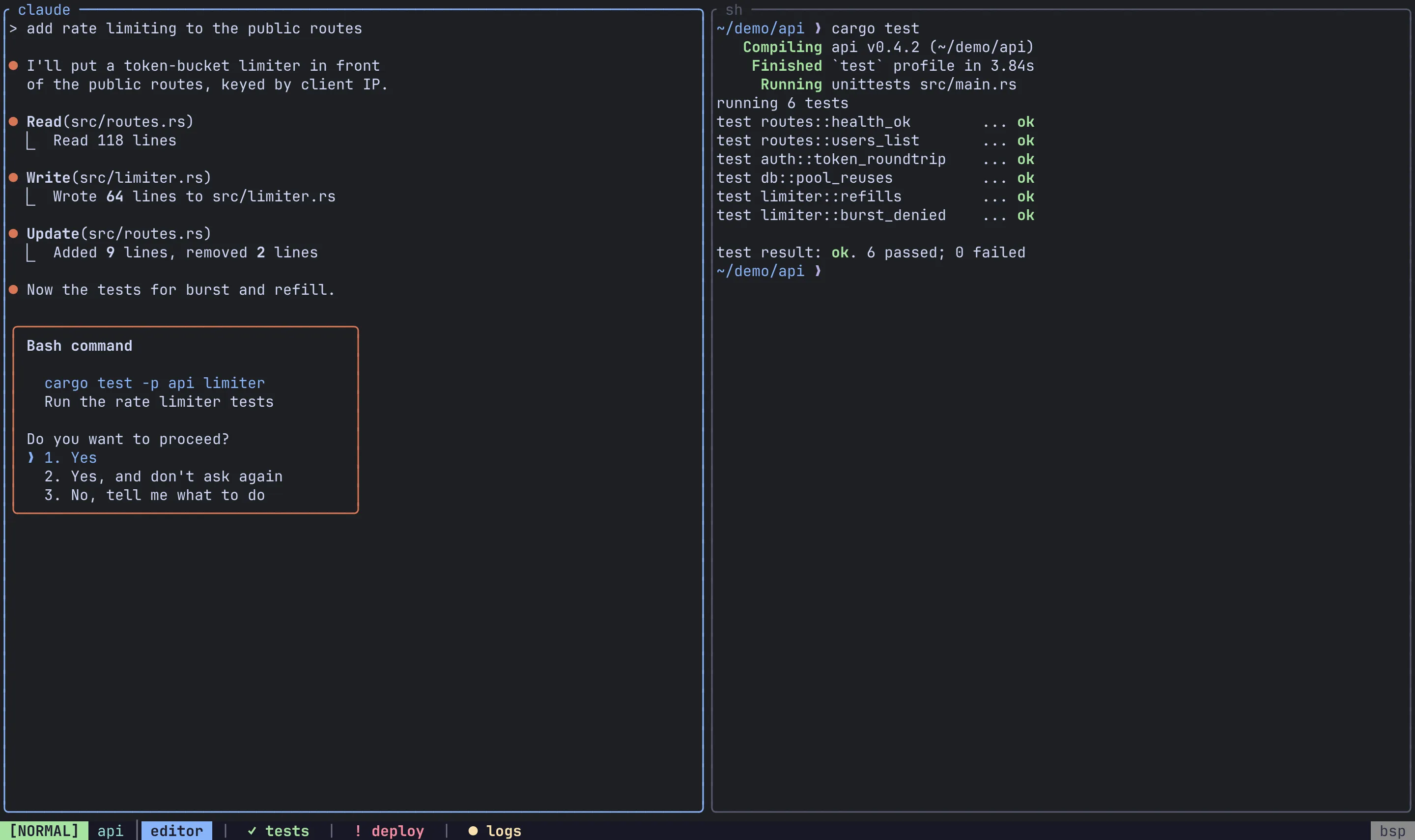
Activity markers on inactive status-bar tabs: ! for a bell, ● for output, ✓ for a tab that has gone quiet. The agents list reuses the first two for “needs input” and “working”. |
pane_label_fg/bg |
The pane name or stacked-tab title on a pane’s top border. Unset by default, so the label takes the border’s colour and follows focus. |
layout_indicator_fg/bg |
The layout name at the right of the status bar |
search_count_fg/bg |
The (n/m) search-match counter |
search_match_fg/bg, search_current_fg/bg |
Search highlights: every match, and the current one |
whichkey_fg, whichkey_bg, whichkey_key_fg |
The which-key popup and its key column |
sidebar_current_bg |
The agents panel’s highlight for the pane you are in. Keep it distinct from tab_active_bg/tab_inactive_bg, which the panel uses for its selection. |
Related
Section titled “Related”- Configuration: where the config file lives and how reloading works.
- Config reference: every key in one place.
- Layouts:
default_layoutand the[layouts]section.