
Sidebars
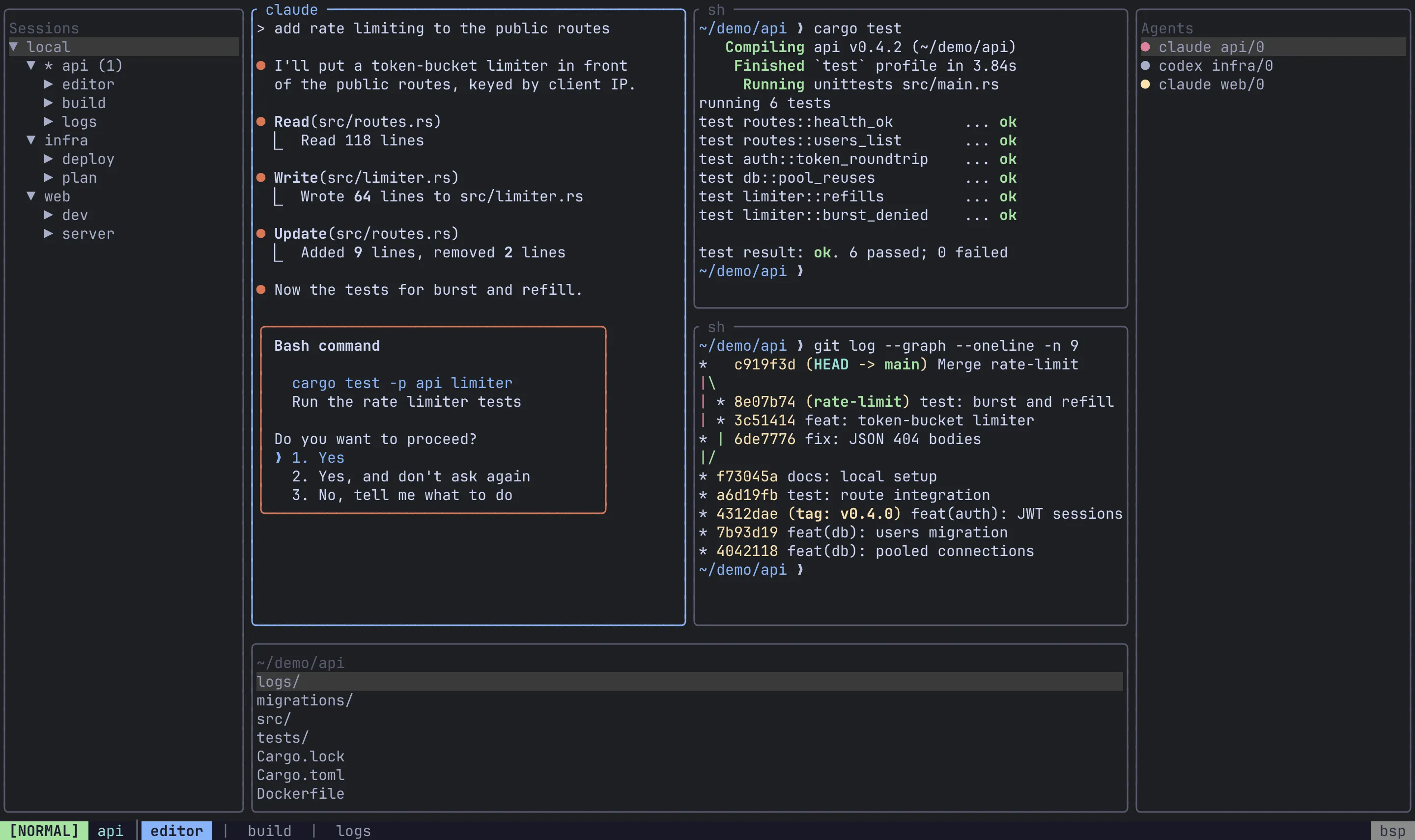
A sidebar is a strip of panels docked to one edge of your terminal. It is drawn by the client, not the server: it is not a pane, it belongs to no session, and the panes simply get whatever space is left once every visible sidebar has taken its slice.
There are no sidebars by default. Declare one in config.toml to opt in.
Add a sidebar
Section titled “Add a sidebar”Each [[sidebar]] table docks one sidebar to an edge, and each [[sidebar.panel]] under it stacks one plugin inside it, in the order written. A good starting point is the session tree above the file browser:
[[sidebar]]edge = "left"size = 30visible = true
  [[sidebar.panel]]  plugin = "sessions"  weight = 1
  [[sidebar.panel]]  plugin = "files"  weight = 1
Add an agents panel on another edge to watch your AI agents:
[[sidebar]]edge = "right"size = 34
  [[sidebar.panel]]  plugin = "agents"
Sidebar changes apply as soon as you save the config. No restart is needed.
Sidebar fields
Section titled “Sidebar fields”| Field | Required | Default | Meaning |
|---|---|---|---|
edge |
yes | — | "left", "right" or "bottom". There is no "top". An unknown edge is a config error. |
size |
yes | — | Thickness: columns for left/right, rows for bottom. This is the starting size; you can resize at runtime. |
visible |
no | true |
Whether the sidebar starts open. Once you toggle or resize a sidebar, its saved state wins at startup (see What is remembered). |
One sidebar per edge. All three edges can be used at once, but a second [[sidebar]] on an edge that is already taken is dropped with a warning in the log. To show two things on one edge, give that sidebar two panels.
Sizes are clamped so the panes keep at least 20 columns and 5 rows. A sidebar that cannot fit even when shrunk is hidden until the terminal is large enough again. The left and right sidebars own the corners; a bottom sidebar spans only the columns between them.
Panel fields
Section titled “Panel fields”| Field | Default | Meaning |
|---|---|---|
plugin |
— (required) | Which plugin to show: sessions, agents, files or placeholder. |
weight |
1 |
This panel’s share of the sidebar relative to its siblings. Weights of 2 and 1 split the sidebar two thirds and one third. |
editor |
unset | files only: the editor to open files with, overriding the server’s $EDITOR. Ignored by every other plugin. |
An unknown plugin name is skipped with a warning rather than rejected, so a config written for a newer Remux still loads. A sidebar with no usable panels is dropped entirely. Both tables are also in the config reference.
Plugins
Section titled “Plugins”sessions
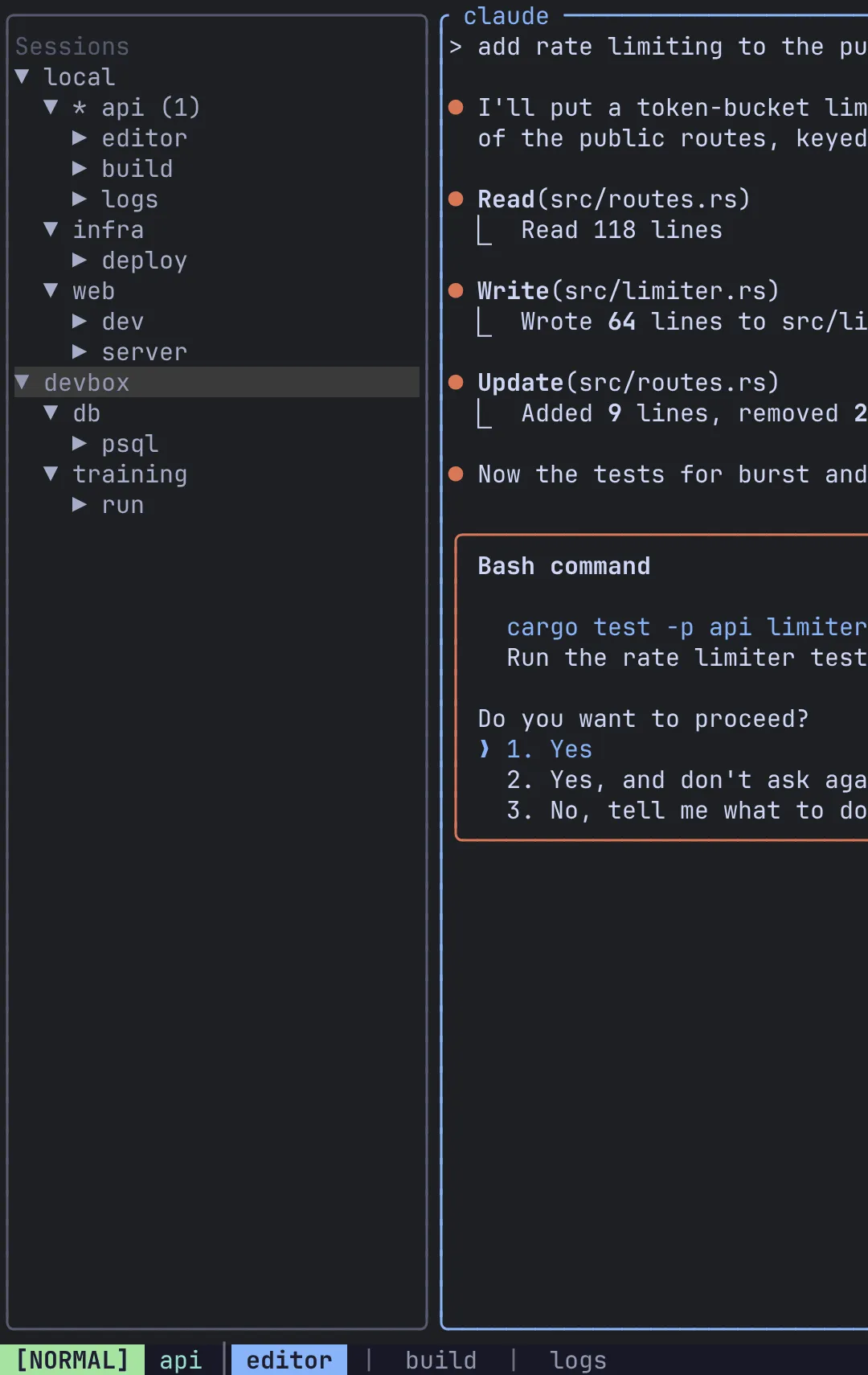
Section titled “sessions”A live tree of every session, tab and pane on the local server and every connected remote. It refreshes by itself whenever the tree changes.
| Key | Action |
|---|---|
j / k (or arrows) |
Move |
g / G |
Jump to the top / bottom |
l / h (or Right / Left) |
Expand / collapse the node |
Space |
Toggle the node |
Enter |
Jump to the selected session, tab or pane |
l and h always expand and collapse rather than toggling, so holding one down cannot flap a node open and shut.
agents
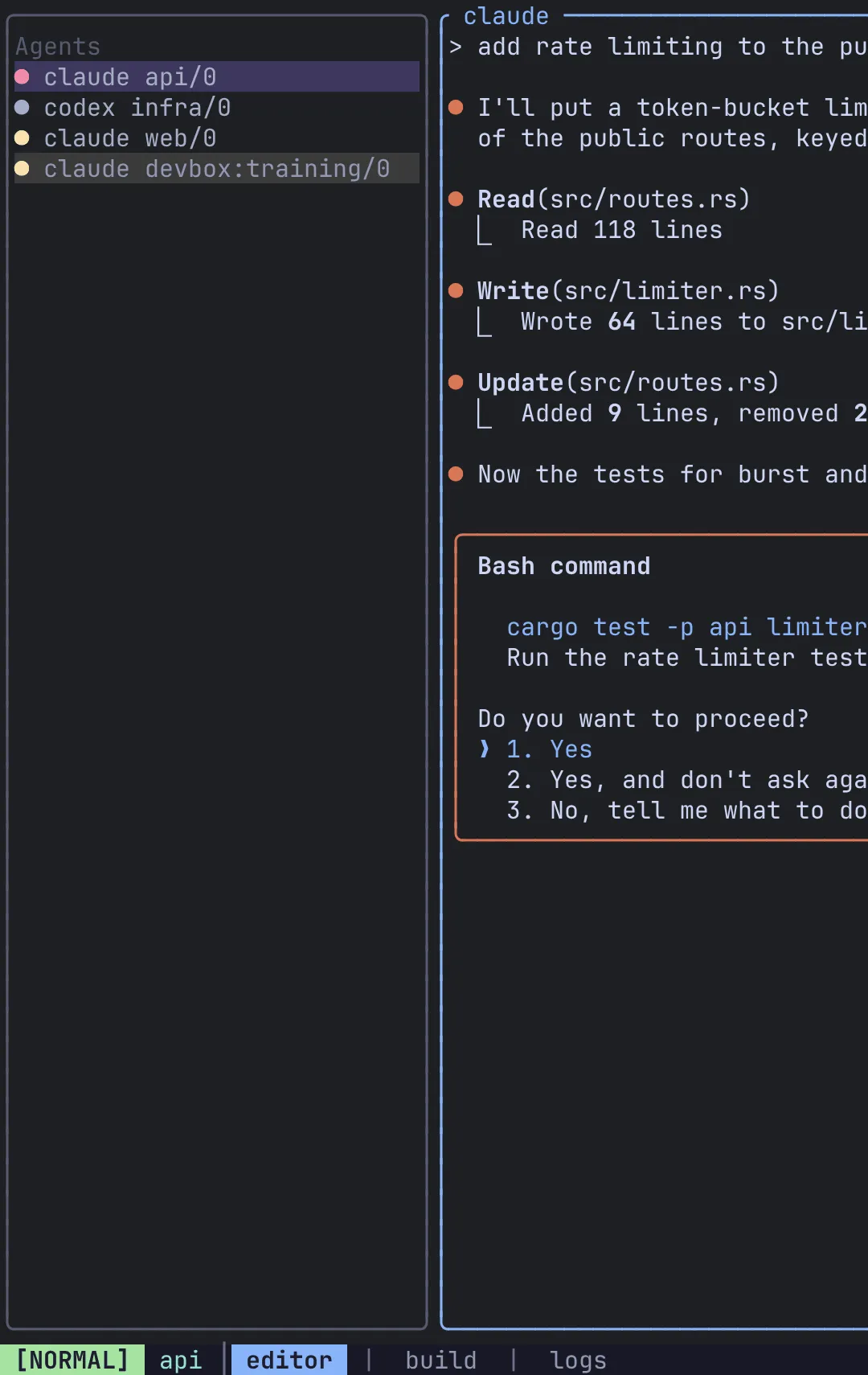
Section titled “agents”Every pane running an AI coding agent, on every connected server, colour-coded by what it is doing: red needs your input, yellow is working, dim is idle. j/k/g/G move and Enter jumps to that pane, wherever it is. See Agents for how detection works and how to configure it.
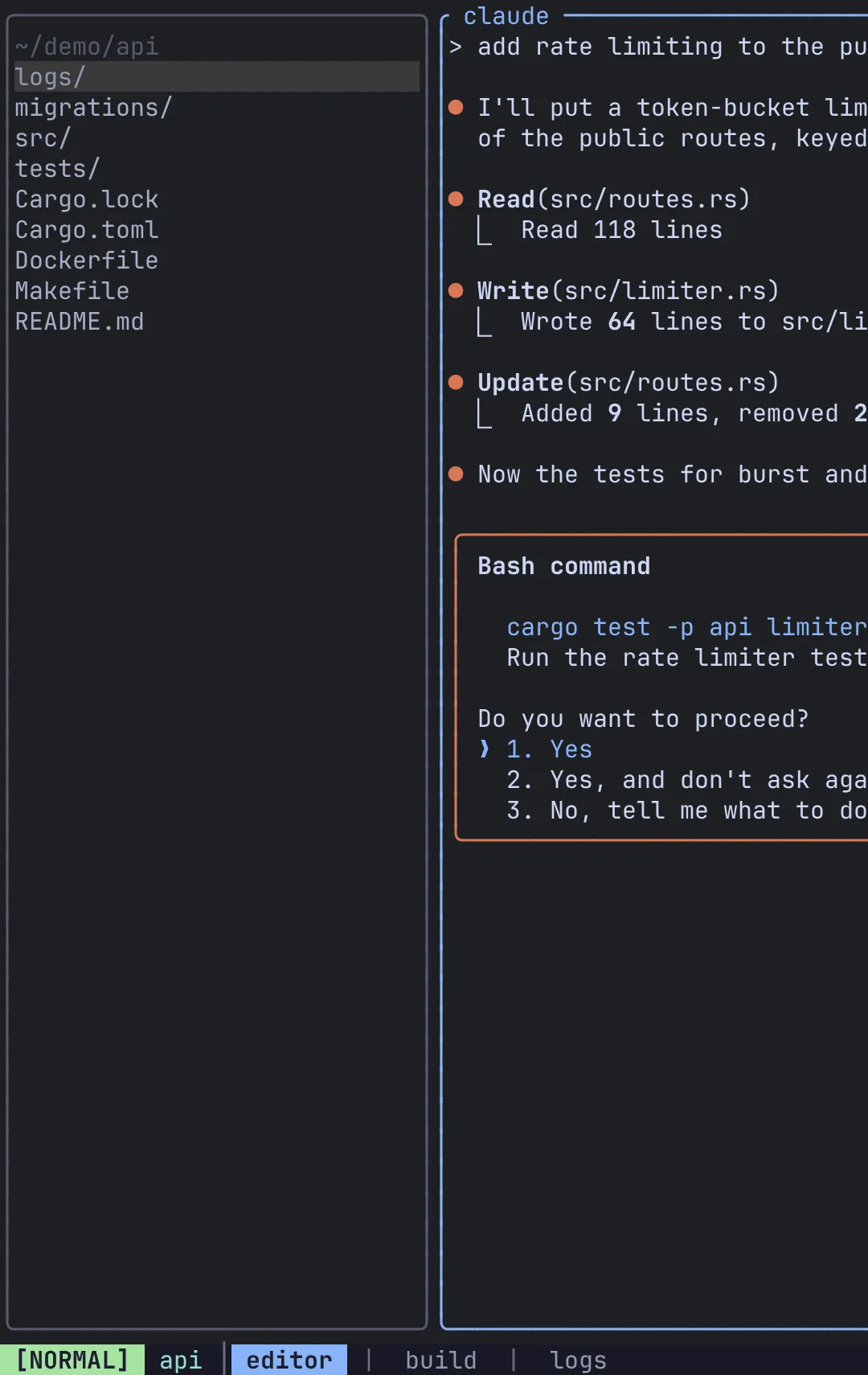
A built-in file browser with nothing to install or configure.
| Key | Action |
|---|---|
j / k (or arrows) |
Move |
g / G |
Jump to the top / bottom |
l (or Right) |
Enter the selected directory |
h (or Left) |
Go up a level, landing on the directory you left |
. |
Show or hide hidden entries |
r |
Re-list now |
Enter on a file |
Open it in a split running an editor |
Enter on a file opens a new split running an editor, and the keyboard moves to that split with it. l never opens a file; only Enter does.
The editor is resolved on the server that holds the file: the panel’s editor if you set one, else that server’s $EDITOR, else vi. That matters for remotes, where your local $EDITOR may not exist.
[[sidebar.panel]]plugin = "files"editor = "hx"The panel re-lists itself about every two seconds while it is on screen, so files created or deleted elsewhere appear and disappear without a keystroke, and the cursor stays on the entry it was on. A hidden sidebar polls nothing. Very large directories are capped at 5000 entries, and the panel says so. A directory it cannot read shows the reason instead of an empty list.
Which directory it shows
Section titled “Which directory it shows”The panel follows the focused pane’s directory, and it updates when focus moves, not when you cd. Typing cd ~/project in a pane does not move the panel; move focus away and back, or navigate the panel yourself with h/l. While you are somewhere you chose, the panel stops following focus.
It also follows the pane’s machine. Focus a pane on a remote and the panel lists that remote’s filesystem.
placeholder
Section titled “placeholder”A test fixture that paints its own name and size. It exists for checking sidebar geometry; there is no reason to use it day to day.
Move in and out
Section titled “Move in and out”Alt-h/Alt-j/Alt-k/Alt-l move focus into and out of a sidebar exactly as they move between panes. There is nothing new to learn: from the leftmost pane, Alt-h enters a left sidebar.
The b group under the prefix manages sidebars:
| Keys | Action |
|---|---|
Ctrl-a b h |
Show or hide the left sidebar |
Ctrl-a b l |
Show or hide the right sidebar |
Ctrl-a b j |
Show or hide the bottom sidebar |
Ctrl-a b b |
Cycle focus through every visible panel, then back to the panes |
You can also click a row to select it.
Resize
Section titled “Resize”While a panel has focus, the pane-resize keys (Ctrl-a p R then h/j/k/l) act on the sidebar instead:
- Across the edge (left/right for a side sidebar, up/down for the bottom one) resizes the sidebar.
- Along the edge adjusts the focused panel’s weight against its siblings.
What is remembered
Section titled “What is remembered”Each sidebar’s visibility and size, and each panel’s weight, are saved to $XDG_STATE_HOME/remux/sidebar.json (by default ~/.local/state/remux/sidebar.json) and restored the next time you start. At startup the saved state wins: the size and visible in your config are only the defaults for a sidebar with no saved state yet. While Remux is running, a value you change in the config takes effect when you save; values you did not touch keep what you last set at runtime.
Frames
Section titled “Frames”A sidebar is framed in the same border_style as the panes beside it: a rounded box around the whole sidebar under zellij_style, or a single divider on the side facing the panes under tmux_style. Stacked panels are separated by a rule. The frame is drawn inside the sidebar’s size, and under zellij_style it takes the active border colour while one of its panels has focus. Ctrl-a g reframes sidebars along with the panes. See Theme.
Migrating from browser
Section titled “Migrating from browser”Older configs may carry one of two stale lines from before the two file panels merged:
| Old | Now |
|---|---|
plugin = "browser" |
Still loads, with a warning. Rename it to "files". |
command = "…" |
Ignored, with a warning. Delete it, or use editor if you meant to override the editor. |
Related
Section titled “Related”- Agents: configure what the
agentspanel detects. - Remotes: browse and jump across machines.
- Configuration and the config reference.