
Quick start
This walkthrough takes you from a fresh install to a session you can detach from and come back to. It assumes the default key map, where the prefix is Ctrl-a.
Start Remux
Section titled “Start Remux”remuxThe first run starts the background server for you, creates a session called main and attaches to it. If sessions already exist, remux attaches to the first one instead of creating a new one.
To start a session with a name of your choosing:
remux new --session workUse the prefix
Section titled “Use the prefix”Most keys go straight to the program in the focused pane. Press Ctrl-a and Remux enters Command mode: a which-key popup lists the keys available from there, grouped by what they act on (p for panes, t for tabs, x for sessions, and so on). Press Esc to back out without doing anything.
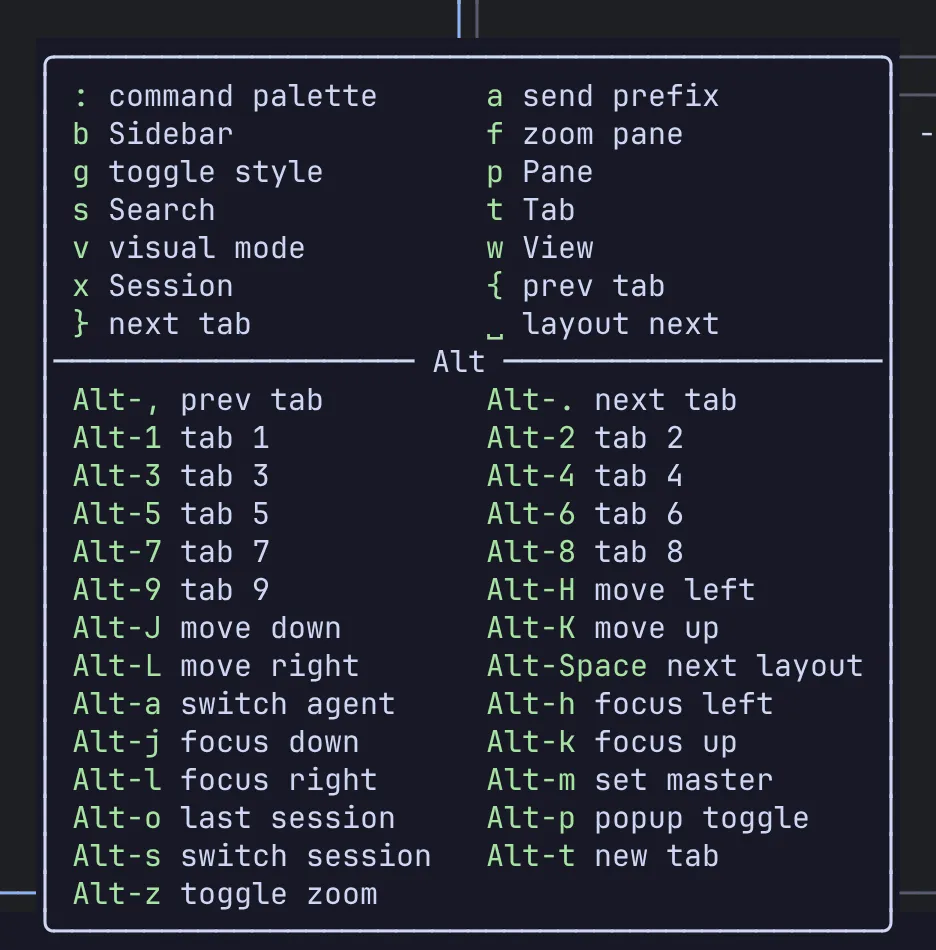
You don’t have to memorise the tree. Press Ctrl-a, read the popup, press the next key.
Split panes
Section titled “Split panes”| Action | Keys |
|---|---|
| Split side by side | Ctrl-a p v |
| Split top and bottom | Ctrl-a p s |
| New pane, placed by the layout | Ctrl-a p n |
| Move focus left / down / up / right | Alt-h / Alt-j / Alt-k / Alt-l |
| Zoom the focused pane | Alt-z |
| Close the focused pane | Ctrl-a p x |
Exiting the shell in a pane also closes it.
New panes are arranged by the current layout, BSP by default. Press Alt-Space to cycle through the automatic layouts. See Layouts for what each one does.
Work with tabs
Section titled “Work with tabs”| Action | Keys |
|---|---|
| New tab | Alt-t |
| Previous / next tab | Alt-, / Alt-. |
| Jump to tab 1 to 9 | Alt-1 … Alt-9 |
| Rename the tab | Ctrl-a t r |
| Close the tab | Ctrl-a t x |
Detach and reattach
Section titled “Detach and reattach”Press Ctrl-a x d to detach. The client exits, and the session keeps running in the server with everything in it.
From any terminal:
remux ls # list sessionsremux attach work # attach to one by nameMove between sessions
Section titled “Move between sessions”| Action | Keys |
|---|---|
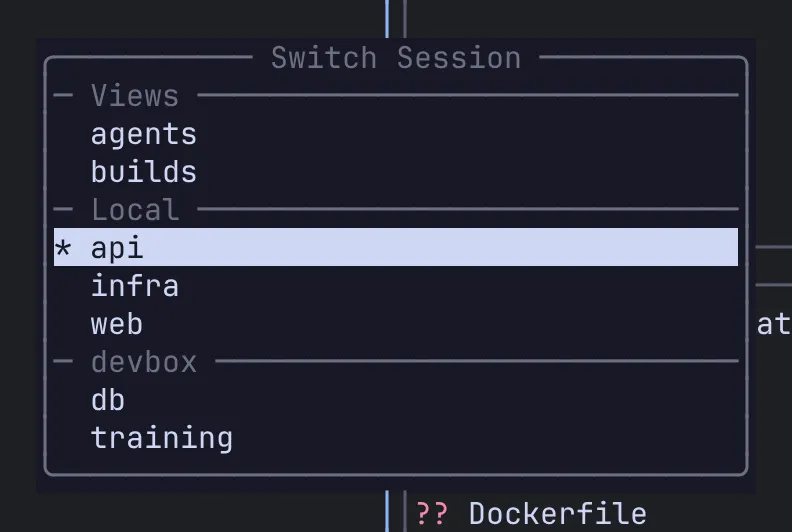
| Quick session switcher | Alt-s |
| Back to the previous session | Alt-o |
| Session manager (tree of every session, tab and pane) | Ctrl-a x m |
| Command palette (search every command) | Ctrl-a : |
Stop the server
Section titled “Stop the server”remux stopThis saves your sessions and shuts the server down. The next remux starts a new server and, with the default settings, brings the saved sessions back.
Next steps
Section titled “Next steps”- Concepts: the pieces Remux is made of.
- Keyboard: modes, which-key and the full default key map.
- Remotes over SSH: put another machine’s sessions in the same tree.
- Views: panes from different sessions and machines on one screen.